
I am now seeing an error in Events Manager that I didn’t have before. Is this a problem?
This article goes through common errors seen in Meta's Events Manager.
Common Meta Events Manager Errors
Invalid Key Match Parameter

This means that Facebook tried to match the data in a payload and ran into an issue. Because we track data across sessions and try to stitch this together into a single user experience, occasionally we share Facebook session data (fbp) that has expired.
If we send 100,000 events without issue and send a single event with an expired fbp cookie, this flag will show up. This is not concerning because it happens with a very low incidence. Additionally, it is least concerning when it occurs with upper-funnel events like PageView and/or ViewContent events.
Potentially Violating Personal Data

This flag is notifying you of a real problem, however this has nothing to do with Popsixle. The standard Facebook pixel scrapes info from the UTM key-value pairs in every URL that loads on your site. Occasionally the keys will indicate that the UTM contains personal information, which is something that can create legal risk for your business.
However, Popsixle is a server-side technology and isn’t tied to these UTMs - all of the data Popsixle processes and sends Facebook is first de-identified so there is a 0% chance that Popsixel can produce this error.

This alert is a general recommendation from Meta to increase the overlap between browser (Pixel) events and server-side (Conversions API) events. Meta is indicating that some of your browser events (e.g., PageView) may not have a corresponding server-side event, or that the overlap between the two could be improved. This is commonly tied to deduplication and event matching.
Popsixle already addresses this through aligned browser and server-side tracking:
Events are sent via both Pixel and Conversions API
Proper deduplication is implemented to prevent double-counting
Session and event matching are managed to maintain data quality
This alert does not indicate a problem with your setup. No immediate action is required as long as your key conversion events such as Purchase is firing correctly and is being received properly by Meta.
External Id Matching Errors

This means that Facebook isn’t successfully able to match browser and pixel events on the External ID parameter. Matching on External ID is a secondary process, after first trying to match in Event ID or fbp.
If the match can’t be made, it simply means not of all your data is getting stitched together 100% of the time. Given we pass fbp 90-95% of the time, this is not cause for concern - simply an automated notification that two sets of external IDs were used. You can dismiss this alert without need for alarm.
Missing Value Parameters

Anytime we send a ViewContent, AddToCart or Purchase Event, there should be a monetary value associated with the event.
If you receive an alert indicating that the Values are missing, this is worth letting us know about. Most likely it happened as a one-off and is not a sign of a major issue, however our team will do a deep dive to ensure your install is working as expected.
Redundant Purchase Event

This is an error worth bringing to our attention. While most of the time this is caused by Shopify apps like Bold and Recharge that enable cross-selling, up-selling as part of the checkout process, we do want to do an account health check if you’re seeing this event.
Connect to chat activity from business messaging apps

This is a standard Meta recommendation for advertisers using Messenger, Instagram DM, or WhatsApp campaigns and does not indicate a Popsixle tracking issue. If you are not actively running chat-based campaigns, this alert can generally be ignored safely.
Set up manual advanced matching

This alert refers to a feature of the native Meta Pixel that allows additional customer information (such as email or phone number) to be attached to browser-based events. This helps Meta better match website visitors to users on its platform, improving attribution for setups that rely on the standard fbq pixel. However, this is a general recommendation shown whenever Meta detects that browser events may not include enough matching data—it does not indicate that anything is broken.
With Popsixle, Advanced Matching is not required because events are not dependent on the native browser pixel. Popsixle sends both server-side and aligned browser events with structured customer data, ensuring strong match quality and accurate attribution without relying on Meta’s browser-based matching. As a result, enabling Advanced Matching will not improve performance or tracking, and this message can be safely ignored.
Confirm domains that belong to you

This alert usually appear when Meta detects events coming from multiple domains, subdomains, or landing pages. This prompt is mainly relevant if you are using an allow list or block list in your event settings, as Meta uses these lists to control which domains are permitted to send data to your pixel.
If you have an allow list enabled, you’ll need to ensure that all domains sending events (including landing pages or subdomains) are added both in Meta and within your Popsixle dashboard settings so tracking remains consistent. If you are not using an allow list or block list, this message does not impact tracking or performance and can be safely ignored.
Read further here: Check (and update) an Allow list
PageView / ViewContent etc. Event from the Server are not Deduplicated

This type of alert indicates that Meta believes browser and server-side PageView, ViewContent or other funnnel events are not being deduplicated because an event_id is missing.
If you're using Popsixle, this does not necessarily indicate a tracking issue. Popsixle sends event_id values with supported events, and we can verify this on our end. Once the data is sent, Meta is responsible for matching browser and server events and performing deduplication.
In most cases, this alert is a Meta-side diagnostic and does not mean that Popsixle tracking, attribution, or event delivery is broken.
Improve event ID coverage by fixing deduplication key issues
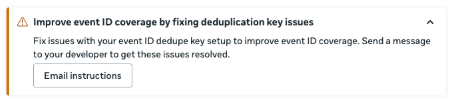
Meta may show this alert when it hasn’t received enough event data to properly evaluate deduplication. In most cases, no changes are needed. Continue sending events through Popsixle and give Meta time to process more data; the alert should resolve automatically as event volume increases. If it persists, contact Popsixle support for further review.
Review new restrictions on data you send through Meta Business Tools

Note: Before making any changes, please check in with our team so we can confirm whether the alert affects your specific setup and advise on the safest next step.
This alert means Meta may have placed additional limits on the data source because it detected information that falls into a restricted or sensitive category. Meta says certain data source categories can come with additional sharing restrictions, and prohibited information can include health information, financial information, and other sensitive categories. Popsixle’s restricted-brands guides also note that Meta is especially strict with categories like Health & Wellness, Hemp & CBD, and other sensitive verticals, where event data and optimization can be limited or filtered.
In some cases, Meta may limit or fully restrict the ability to share event data through Business Tools, and the correct response depends on the category Meta assigned to the data source. If you are unsure whether this applies to your account, reach out first and we will help you review it.
For accounts in restricted spaces, Popsixle is designed to help stabilize tracking and keep data flowing even when Meta applies stricter rules. In Popsixle’s restricted-brands guides, the app is described as supporting Health & Wellness, Hemp & CBD, Finance & Credit, and other sensitive verticals by using tools such as custom-event backups, obscured domains/domain override, keyword cleansing, compliant interstitial pages, and anonymized tracking for CBD, with the goal of preserving reliable event flow and reducing policy triggers.
Read further here: Information for Restricted Brands
Contact Us
Have questions or concerns? Reach out to the Popsixle via email or through the live chat on our site and a member of our team will get back to you within one business day.