
Meta Ad Account Access
This article will walk you through how to grant Popsixle view-only access to your ad account.
How to Share Access with Popsixle
Follow these steps to give Popsixle view-only access:
Go to Meta Business Manager and open Business Settings.
In the left menu, click Accounts > Ad Accounts.
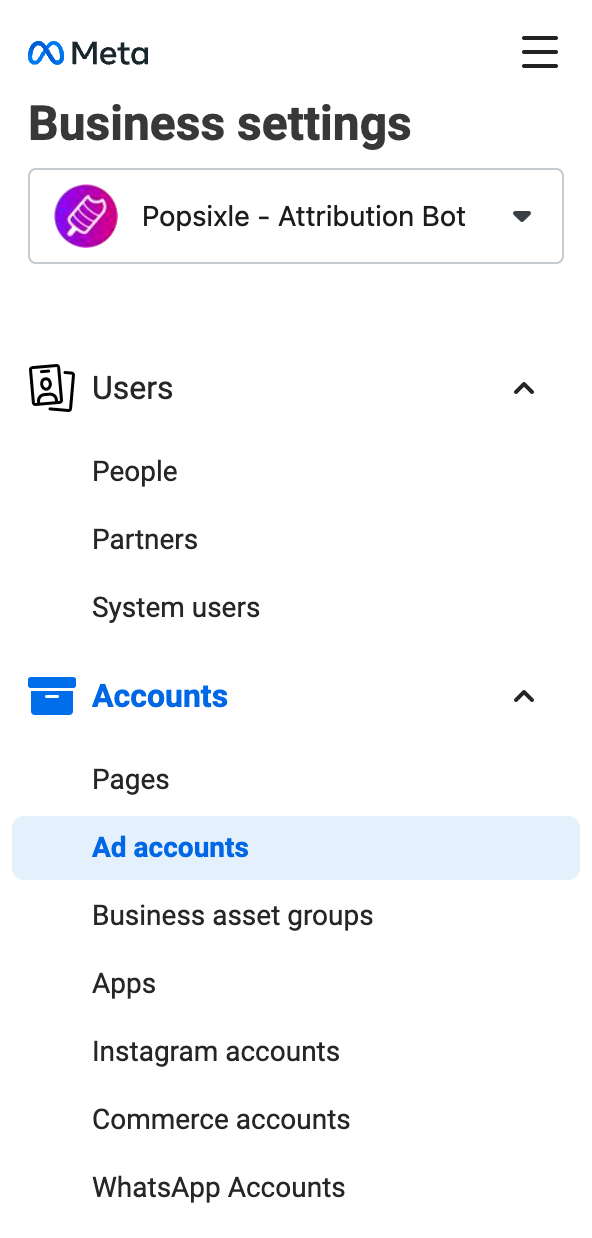
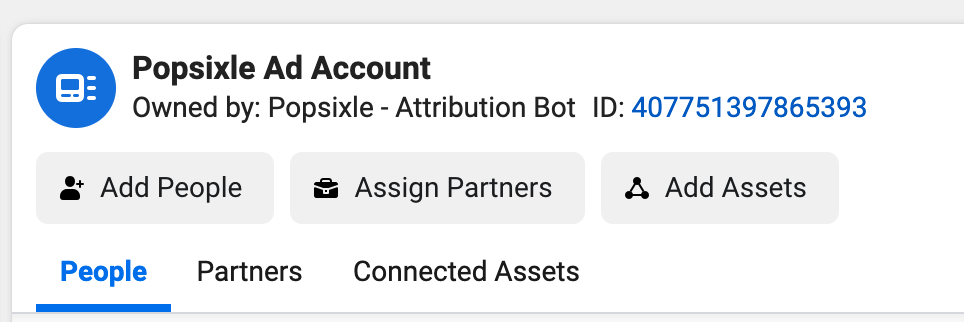
Find your ad account and click Assign Partners.
Note: If the "Assign Partners" button is not showing (even with admin access), reach out to our team for troubleshooting support via email or through the live chat on our site.
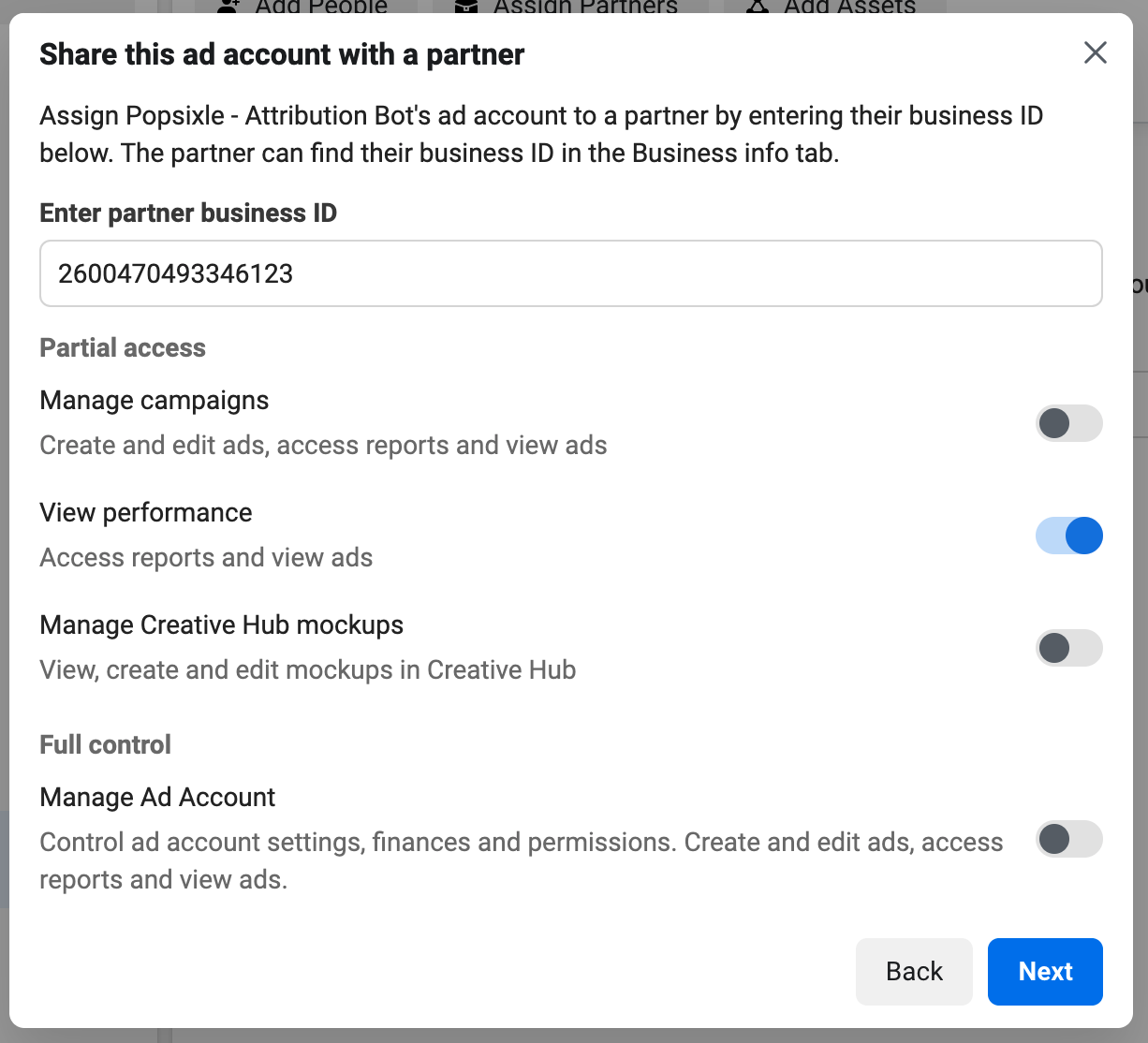
Enter Popsixle’s Business ID: 2600470493346123
Choose View performance (read-only access).
Once you’ve done this, Popsixle will accept the request and update your account settings. After your site has been live with Popsixle for 2–3 days, you’ll start seeing synced data in your dashboard.
Be advised that your ad account may require a second admin to approve sharing access. In these cases, you'll be able to share access but the pending request will not show on Popsixle's receiving end. If this is needed for your account, you'll receive an email from the Popsixle team notifying that we're not able to accept shared access, so then you can complete the additional step of second admin approval.
NOTE: Popsixle can’t connect to personal ad accounts. You’ll need admin access to your business ad account before sharing ad account access with Popsixle.
Why Popsixle Needs Access to Your Facebook Ad Account
Shared access to your brand's ad account enables two of the reporting features on the Popsixle Customer Dashboard:
Pre/Post Performance Reports: This shows how your ads perform before and after Popsixle is installed, using data from Facebook Ads Manager.
Attribution Accuracy Report: This compares Popsixle’s purchase tracking with Facebook’s, helping you spot any over- or under-reporting so you can make smarter decisions.
Sharing access also allows our team to perform a deeper audit of your Popsixle-Meta connection. We can review your campaign settings, attribution, and connected pixel/dataset to quickly identify potential issues and provide more accurate recommendations.
Contact Us
Reach out to the Popsixle via email or through the live chat on our site and a member of our team will get back to you within one business day.