
Popsixle Landing Page Compliance Smoke Test
Before installing Popsixle, we recommend performing a Landing Page Compliance Smoke Test to validate that your compliant landing page and domain can safely communicate with Meta.
This test should be completed before Popsixle is installed. The goal is to confirm that the landing page can send Meta Pixel events and remain uncategorized by Meta prior to connecting Popsixle.
Your only responsibility is to publish the landing page on the intended compliant domain and install a temporary Meta Pixel. Once complete, our team will handle the testing, validation, and compliance review process.
When to use this
Use this process when:
Launching a new compliant landing page
Testing a new or clean domain
Validating Meta compliance before enabling Popsixle server-side events
Important for Unrestricted: When creating a Meta Pixel/Dataset, leave “Select any applicable categories” blank. This selection affects all data sources in the dataset, and certain categories may limit or block data sharing depending on Meta’s policies and the user’s location.
For Shopify users
Install the Popsixle App from the Shopify App Store.
When the onboarding flow appears, skip onboarding for now.
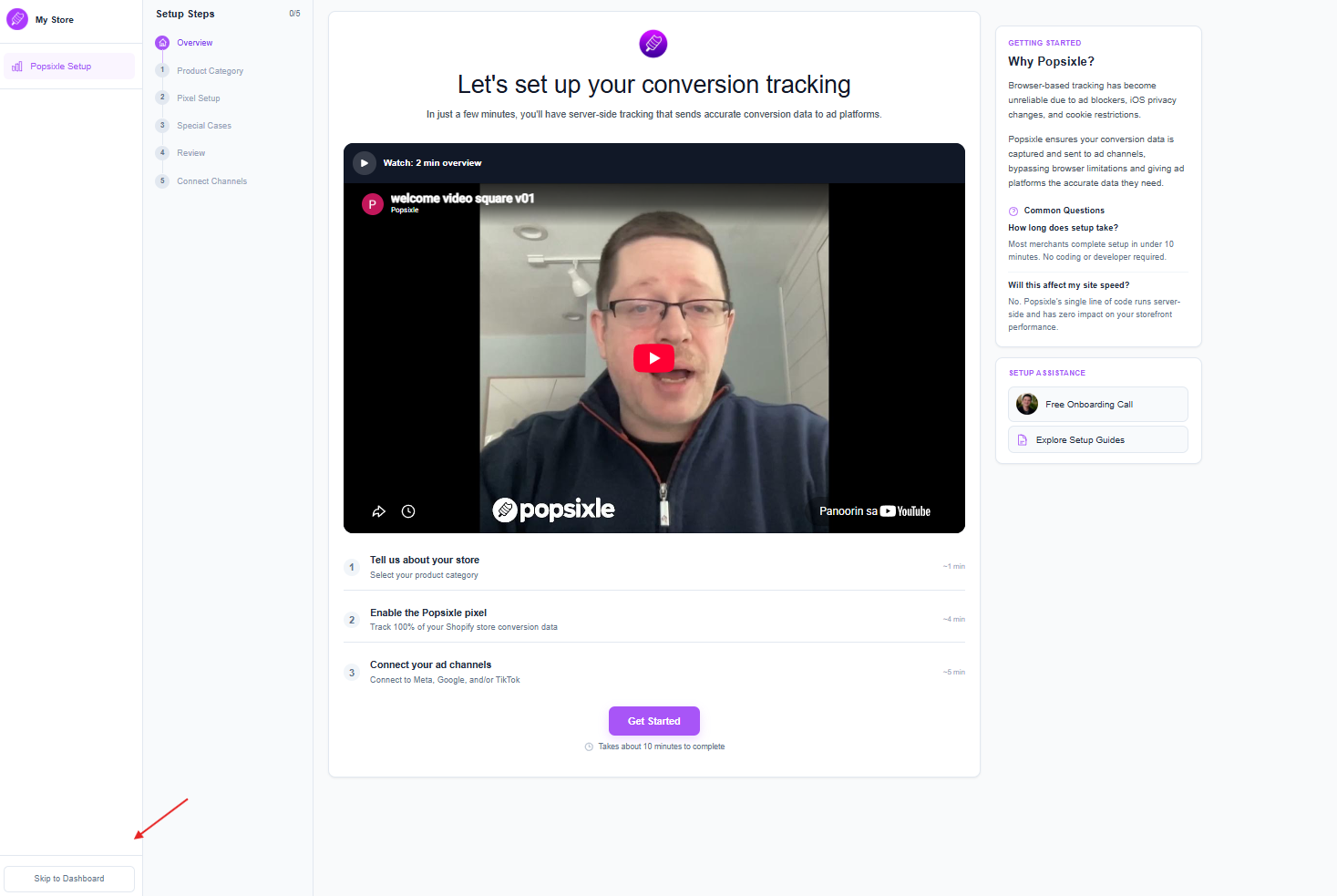
Share the following Meta credentials with the Popsixle team through the agreed secure channel. You may provide them before installing the app or after skipping onboarding:
Meta Pixel/Dataset ID
Access to Pixel ID, or ad account access connected to that pixel is required as well
Conversions API (CAPI) Access Token
Test Event Code
Let us know once the app is installed, onboarding has been skipped, and the credentials have been provided.
NOTE: Please do not complete the onboarding flow yet. The Popsixle team will handle the remaining configuration.
Non-Shopify users
Install the Popsixle Code snippet provided by our team on your website. It should look something like this:
<script type="text/javascript" src="https://pop6serve.com/popsixle.php?t=db06d4c5131236545478957545202e64444ea43b4688026c3c714e45&shop=unknownsite.com"></script>NOTE: This is not the actual snippet, reach out to our team and we'll provide you with another code snippet
Share the following Meta credentials with the Popsixle team through the agreed secure channel:
Meta Pixel/Dataset ID
Access to Pixel ID, or ad account access connected to that pixel is required as well
Conversions API (CAPI) Access Token
Test Event Code
Let us know once the code has been installed in the compliant page. Please make sure to include the website URL where it was added.
What Happens Next?
Popsixle will:
Validate that Meta is receiving events correctly
Confirm events are originating from the intended landing page domain
Review the domain's categorization status within Meta
Determine whether the domain passes compliance validation
If the domain passes, we'll advise you to remove the temporary Pixel and proceed with the Popsixle server-side implementation.
If the domain does not pass, we'll provide recommendations and next steps before any server-side events are connected.
Estimated Review Time: Once Popsixle has received the landing page URL, temporary Pixel ID, and Pixel access, the compliance smoke test typically takes about 1 hour to complete, depending on team availability and how quickly Meta processes the test events. We'll notify you as soon as the review is complete and provide the next steps.
Contact Us
Have questions or concerns? Reach out to the Popsixle via email or through the live chat on our site and a member of our team will get back to you within one business day.